Drupal Themeing

Custom Theme Creation

This guide walks you through creating a custom theme from scratch -

1. Plan the theme & folder structure

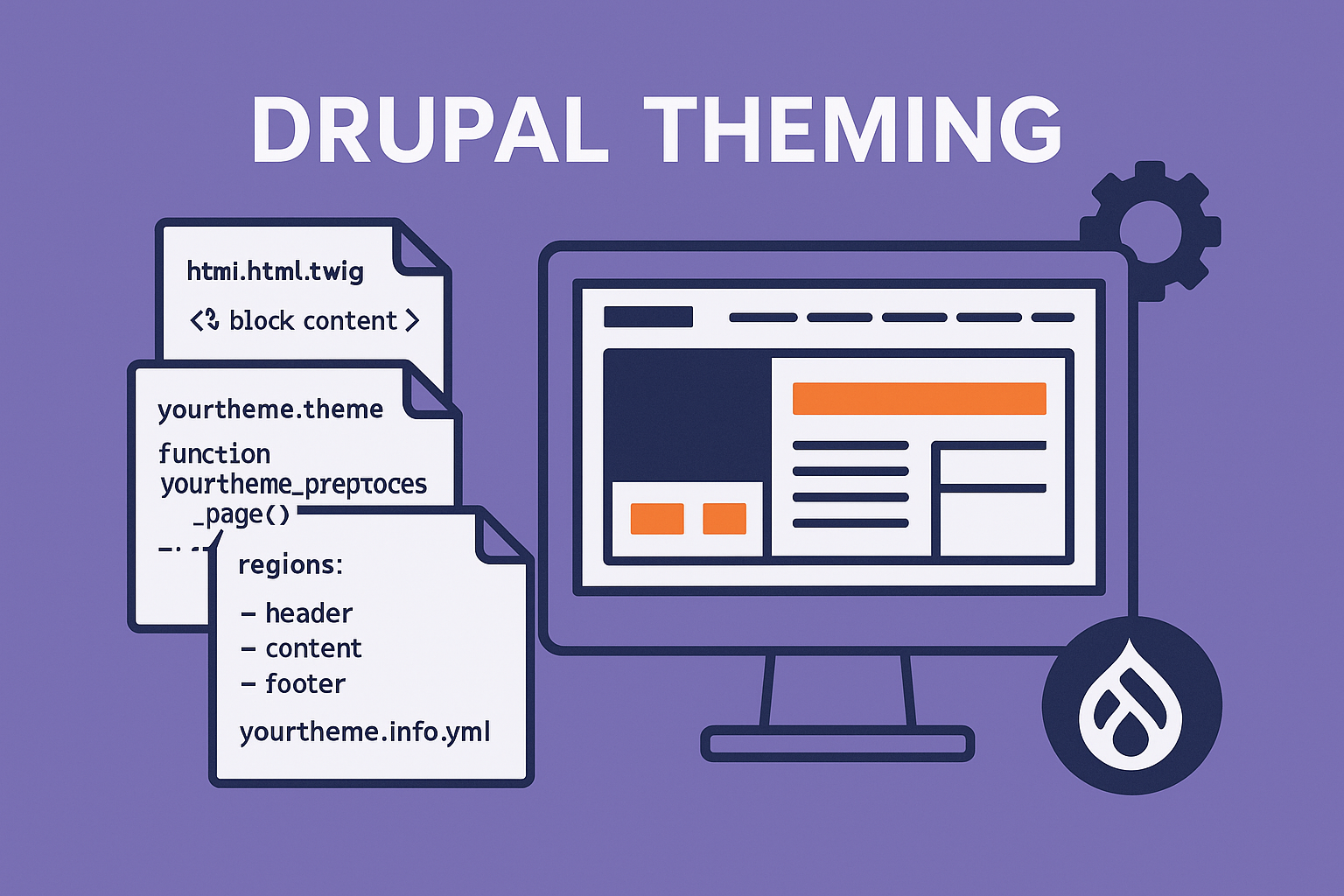
Create a directory under web/themes/custom/yourtheme (or themes/custom/yourtheme depending on your project layout). Minimal structure:

yourtheme/
  yourtheme.info.yml
  yourtheme.libraries.yml
  templates/
    html.html.twig
    page.html.twig
    node--article.html.twig
  css/
    base.css
  js/
    theme.js
  src/
  yourtheme.theme

2. Define the theme: yourtheme.info.yml

This is the metadata Drupal reads to register the theme. Minimal example:

name: 'YourTheme'
type: theme
description: 'A custom theme for example site'
package: Custom
core_version_requirement: ^9 || ^10 || ^11
base theme: stable  # optional — remove if standalone
libraries:
  - yourtheme/global-styling

regions:
  header: Header
  primary_menu: 'Primary menu'
  sidebar_first: 'Sidebar first'
  content: Content
  sidebar_second: 'Sidebar second'
  footer: Footer

Important notes:

  • regions in the .info.yml file declare the machine names and human labels that Drupal will let you assign blocks to. Regions declared here appear as page.<region> in Twig templates.

3. Attach CSS/JS using yourtheme.libraries.yml

Keep styles & scripts external and attach them via libraries. Example:

global-styling:
  css:
    theme:
      https://cdnjs.cloudflare.com/ajax/libs/font-awesome/6.5.0/css/all.min.css: {}
      css/base.css: {}
  js:
    js/theme.js: {}
  dependencies:
    - core/jquery

Attach in .info.yml (see above) for global loading, or attach in templates/preprocess for conditional loading.

Why libraries? Drupal aggregates and controls asset loading (cache-busting, aggregation, dependency ordering). Avoid embedding <link> or <script> tags directly in Twig. (Best practice.)

In Drupal’s libraries.yml, the empty curly braces {} simply mean: Use default settings - no extra attributes or options. No attributes, no weight, no media query, no preprocessing change.

If you want to add attributes:

css:
  theme:
    css/style.css:
      media: screen
      weight: 10
      
js:
  https://example.com/script.js:
    attributes:
      defer: true

4. Base HTML and page templates (Twig)

Twig is the template engine. You’ll usually override:

  • html.html.twig — top-level HTML (head, html lang, attributes, page_top/page_bottom placeholders).

  • page.html.twig — main page layout; outputs {{ page.header }}, {{ page.content }}, etc.

  • node.html.twig, block.html.twig, etc. — override specific entities.

Example page.html.twig snippet showing regions:

<header role="banner">
  {{ page.header }}
  {{ page.primary_menu }}
</header>

<div class="layout">
  <aside class="sidebar-first">
    {{ page.sidebar_first }}
  </aside>

  <main role="main">
    {{ page.content }}
  </main>

  <aside class="sidebar-second">
    {{ page.sidebar_second }}
  </aside>
</div>

<footer role="contentinfo">
  {{ page.footer }}
</footer>

Key facts:

  • Regions declared in .info.yml become Twig variables named page.<region_machine_name>. If a region has no blocks assigned, it will generally render empty — check and conditionally print wrappers if empty.

  • Use {{ attach_library('yourtheme/global-styling') }} in html.html.twig or page.html.twig only if you need explicit attachment in Twig (or attach in .info.yml for global).

5. Preprocess functions and .theme file

Preprocess functions let you massage variables before they reach Twig. In yourtheme.theme (PHP file), implement:

<?php

/**
 * Implements hook_preprocess_html().
 */
function yourtheme_preprocess_html(&$variables) {
  // Add classes, attributes, meta tags, etc.
  $variables['attributes']['class'][] = 'yourtheme-class';
}

/**
 * Implements hook_preprocess_page().
 */
function yourtheme_preprocess_page(&$variables) {
  // Example: expose a variable to Twig
  $variables['my_custom_var'] = \Drupal::currentUser()->isAuthenticated();
}

Precautions & best practices

  • Keep heavy logic out of preprocess functions — they run on every request. Use services for complex logic.

  • Respect cacheability metadata: if you add data that varies by user or language, set proper cache contexts/tags/max-age so Drupal can cache results safely. Failure to set cache metadata correctly leads to stale content or cache leaks.

6. Rendering regions & blocks

  • Add blocks to your theme regions via Structure → Block layout in admin.

  • In Twig, render regions as {{ page.sidebar_first }}. If you need to wrap only when region is non-empty:

{% if page.sidebar_first %}
  <aside class="sidebar-first" role="complementary">
    {{ page.sidebar_first }}
  </aside>
{% endif %}
  • Avoid hardcoding markup around block content that would break block-level classes or Drupal-provided contextual links. Instead, use attributes provided by Twig variables where appropriate.

Note: Some hidden regions such as page_top and page_bottom are used by modules and should not be removed from html.html.twig.

7. Template suggestions / override naming

Drupal’s theme system picks the most specific template it finds. For example, node--article.html.twig will be used for article nodes before node.html.twig. Use naming conventions to target variants. Use Twig debug to see which template is in use.

8. Debugging & developer tooling
  • Enable Twig debugging in sites/default/services.yml (set debug: true under twig.config). This writes template suggestions into HTML comments. Helpful while developing. Abbacus Technologies -

  • Run drush cr after changing .info.yml or template files.

  • Use Devel module for variable inspection and xdebug for PHP-level debugging.

9. Accessibility & semantic markup (musts)

Make your theme accessible from the start:

  • Use ARIA roles and semantic tags (<main role="main">, <nav role="navigation">).

  • Provide skip links; ensure focus styles are visible.

  • Use proper heading hierarchy, alt text for images, and keyboard-focusable interactive elements. Accessibility is a functional requirement, not an afterthought. Starterkit and modern Drupal themes emphasize accessibility.

10. Performance, caching & asset management

  • Rely on Drupal’s libraries system for CSS/JS and enable aggregation (/admin/config/development/performance) on production.

  • Mind cache metadata: render arrays, blocks, and preprocess output should declare cache contexts/tags/max-age to avoid leaking personalized content to anonymous users. Drupal’s caching model is powerful but requires you to be explicit if content varies. Medium

  • Minimize DOM complexity and avoid expensive preprocess logic.

11. Security precautions

  • Do not include PHP code inside templates. All PHP must be in module/theme PHP files.

  • When adding third-party scripts, ensure they are trusted and loaded via libraries with proper integrity/versioning.

12. Version control & deployment hygiene

  • Prefer building/minifying assets during CI and deploy compiled CSS/JS, or use a build step on the server — but ensure source maps and original source are available for debugging when needed.

  • Keep theme configuration (regions, libraries) in code, not only in the database. Use config export when appropriate.

13. Sub-themes & reusability

If you intend multiple sites or variations, create a base theme and build sub-themes that override only what’s needed. This reduces duplication and aligns with Drupal theming best practice.

14. Checklist before going to production

  • All templates have appropriate role attributes, landmarks, and skip links.
  • No {{ raw }} usages without review.
  • Asset aggregation/minification works and is tested.
  • Cacheability metadata validated for any dynamic content.
  • Twig debug off in production.
  • Theme settings and default configurations exported and versioned.
  • Cross-browser checks and responsive behavior tested.

Example: Full minimal page.html.twig

<!–– page.html.twig ––>
{% if page.header %}
  <header role="banner" class="site-header">
    {{ page.header }}
  </header>
{% endif %}

<nav class="site-nav" role="navigation">
  {{ page.primary_menu }}
</nav>

<a class="skip-link" href="#main-content">Skip to main content</a>

<div class="site-layout">
  {% if page.sidebar_first %}
    <aside class="sidebar-first" role="complementary">
      {{ page.sidebar_first }}
    </aside>
  {% endif %}

  <main id="main-content" role="main">
    {{ page.content }}
  </main>

  {% if page.sidebar_second %}
    <aside class="sidebar-second" role="complementary">
      {{ page.sidebar_second }}
    </aside>
  {% endif %}
</div>

<footer role="contentinfo">
  {{ page.footer }}
</footer>

Useful references

  • Defining a theme with an .info.yml file — official Drupal theming docs. Drupal.org

  • Adding Regions to a Theme — how regions map from .info.yml to Twig variables. Drupal.org

  • Twig in Drupal — templates, naming, and best practices. Drupal.org+1

  • Theme Starterkit / modern theming scaffolding — helpful for Drupal 10+. Drupal.org

  • Cacheability, render arrays and why cache contexts/tags matter in theming. Medium